Knowledge Graph
1. Overview
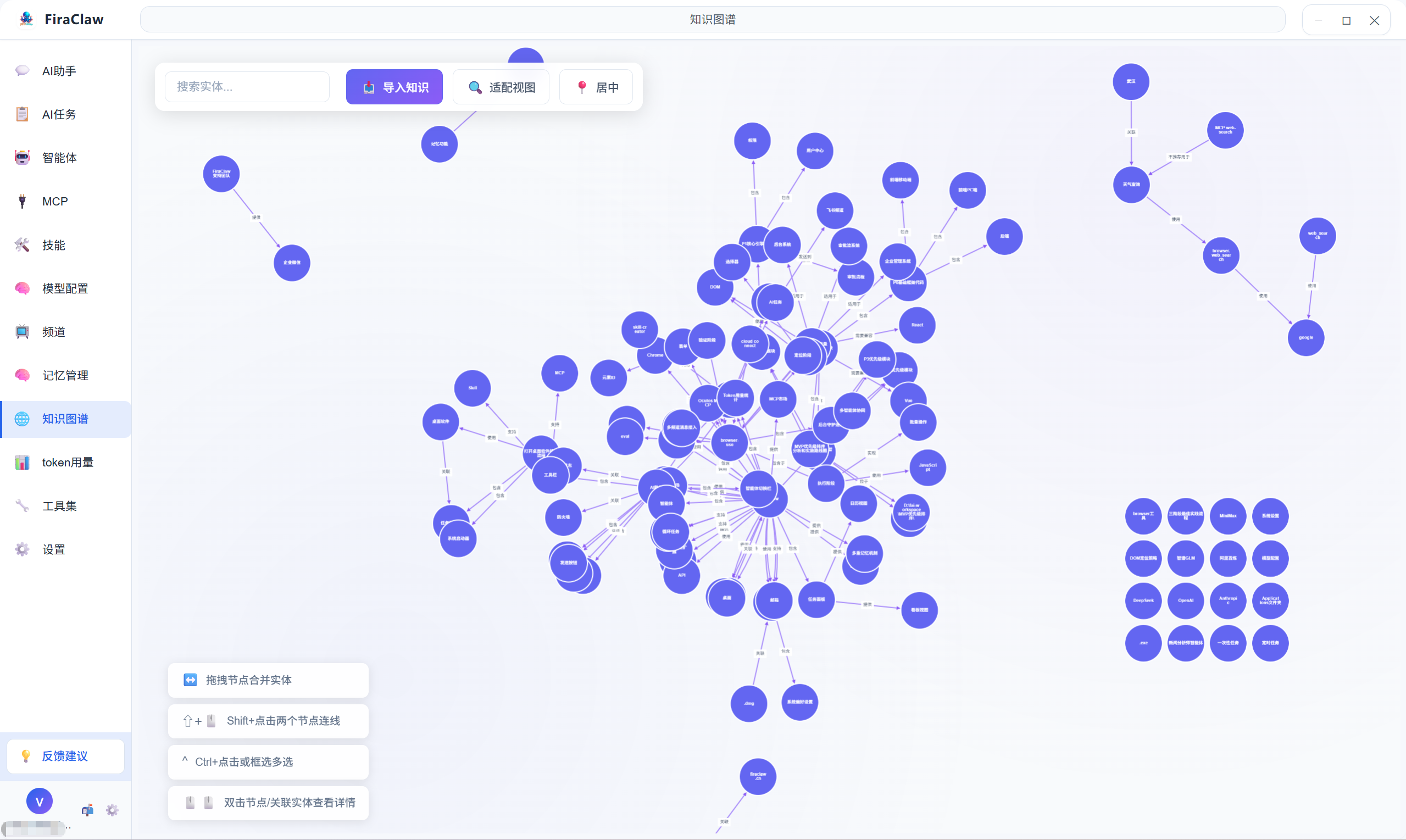
The Knowledge Graph is one of the core features of FiraClaw. It organizes and displays information through graph structures, helping agents better understand and associate complex information networks. The knowledge graph presents the relationships between knowledge points in a visual way, making information structure clear at a glance.
2. Core Features
2.1 Graph Structure Organization
- Node Management: Support creating, editing, and deleting various types of nodes, each representing a knowledge point
- Relationship Building: Connect different nodes through edges to visually display associations between knowledge points
- Hierarchical Structure: Support multi-level organization to adapt to complex information architecture
- Batch Operations: Support batch import and deletion of nodes
2.2 Intelligent Association
- Auto Discovery: AI automatically analyzes and establishes potential associations between knowledge points
- Relationship Recommendation: Intelligently recommend possible association relationships
- Weight Adjustment: Customizable strength weight for association relationships
- Path Tracking: Track the association path between any two points
2.3 Visual Display
- Zoom and Pan: Support mouse wheel zoom and drag to pan
- Layout Adjustment: Multiple layout modes available to suit different display needs
- Filter: Filter display by type, tags, time, and other conditions
- Detail View: Click on a node to view detailed information
3. Quick Start
3.1 Smart Import
The knowledge graph does not support manual node creation. All nodes are generated through smart import. The following import methods are supported:
- Import from Memory: One-click conversion of content from memory management into graph nodes
- URL Import: Enter a webpage address to automatically parse webpage content and generate nodes
- File Import: Support importing common formats such as JSON and CSV
- Text Import: Manually enter text content for AI to automatically parse and generate nodes
3.2 Building Associations
- Select the source node, hold the mouse and drag to the target node
- Select the relationship type in the popup dialog
- Set the relationship weight (optional)
- Click Confirm to establish the association
3.3 Import Operation
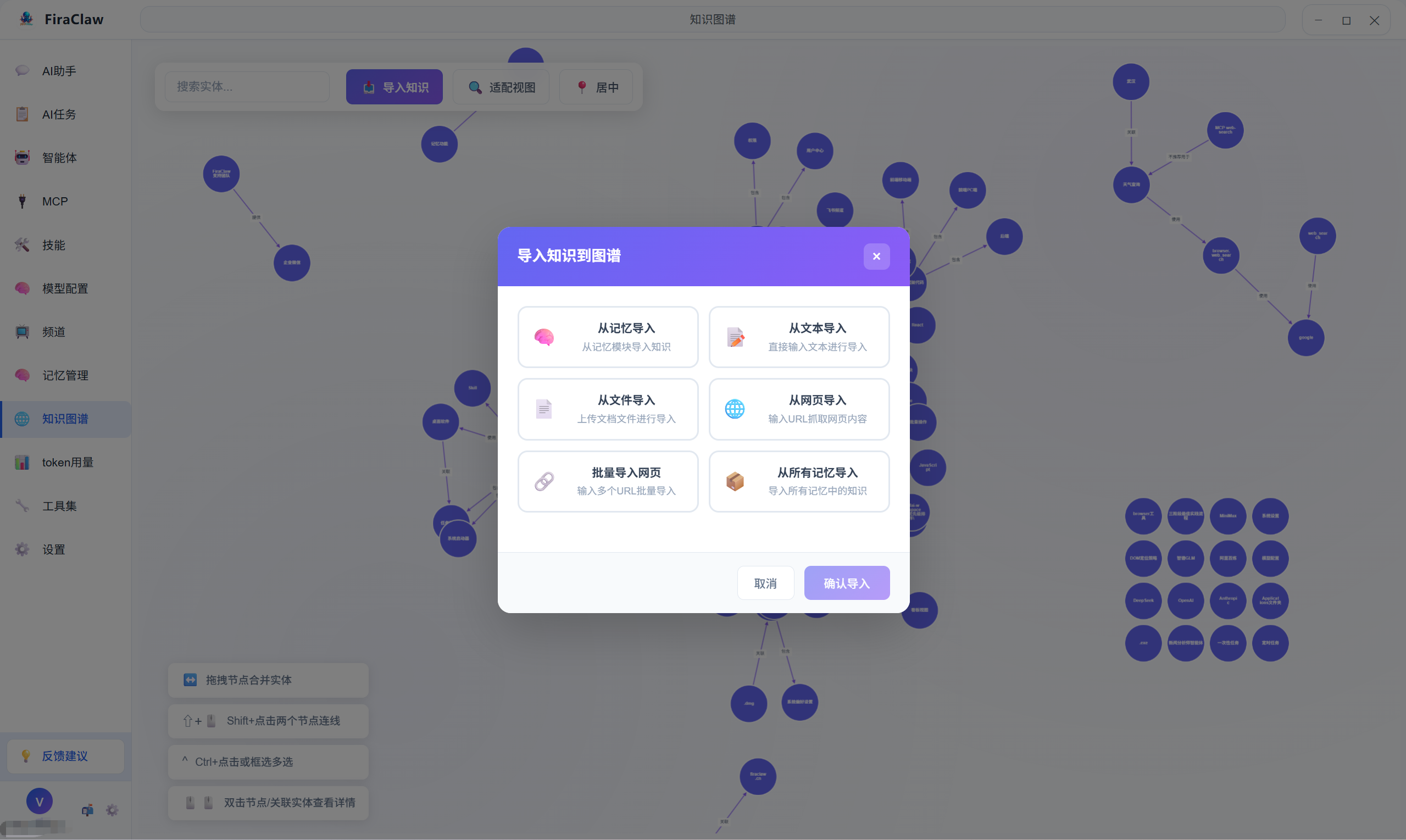
FiraClaw supports importing external knowledge graph data to quickly build your knowledge network.
- Click the Import button in the upper right corner of the interface
- Select the import method (Memory/URL/File/Text)
- Fill in the corresponding content according to the selected import method
- Click Start Import to complete the operation
4. Use Cases
4.1 Personal Knowledge Management
- Organize and associate personal study notes
- Build personal knowledge system
- Track learning progress and understanding level
4.2 Project Management
- Sort out various resources involved in the project
- Track dependencies between tasks
- Visualize the overall project picture
4.3 Agent Training
- Build domain knowledge base
- Train agents' knowledge association capability
- Improve agent professionalism
5. FAQ
Q1: Where is knowledge graph data stored?
A: All knowledge graph data is stored on the user's local computer using encrypted storage and will not be uploaded to the cloud, ensuring your data security.
Q2: What file formats are supported for import?
A: Support for importing common formats such as JSON and CSV. You can also export from other knowledge management tools and then import into FiraClaw.
Q3: How to improve graph loading performance?
A:
- Regularly clean up unnecessary nodes and relationships
- Use filter functions to only display the area you are currently focused on
- Avoid creating too many isolated nodes
Q4: How does the knowledge graph collaborate with the memory feature?
A: The knowledge graph is interconnected with memory management. You can one-click convert important memory content into graph nodes, and agents can also provide more accurate associative retrieval based on the graph structure.